Network Bridge Report
Most users should start with the Network Map. It surfaces the same multi-homed bridge assets and adds subnet clustering, choke-point ranking, hop-filter tracing, and exports to Gephi, Cytoscape, and Visio.
The network bridge report finds assets that bridge two or more network segments. These multi-homed assets are the pivots an attacker uses to move between zones: between guest Wi-Fi and corporate LAN, between IT and OT, or between an internal segment and the public internet.
Accessing the report
- Open it from the Reports menu, or go directly to
/reports/analysis/bridges(https://console.runzero.com/reports/analysis/bridges). - On the Network Map, the same assets appear under the Pivots stat in the Network Intel card (
multi_homed:t). Each multi-homed asset shows up once in every subnet it has an address in, with edges drawn between the copies so you can see exactly which segments it bridges.
How bridges are detected
runZero detects network bridges by collecting extra IP addresses returned in responses to common discovery probes (NetBIOS, SNMP, MDNS, UPnP, and others) and by correlating MAC addresses across subnets. It reports a bridge whenever the same asset is observed with addresses in two or more distinct subnets.
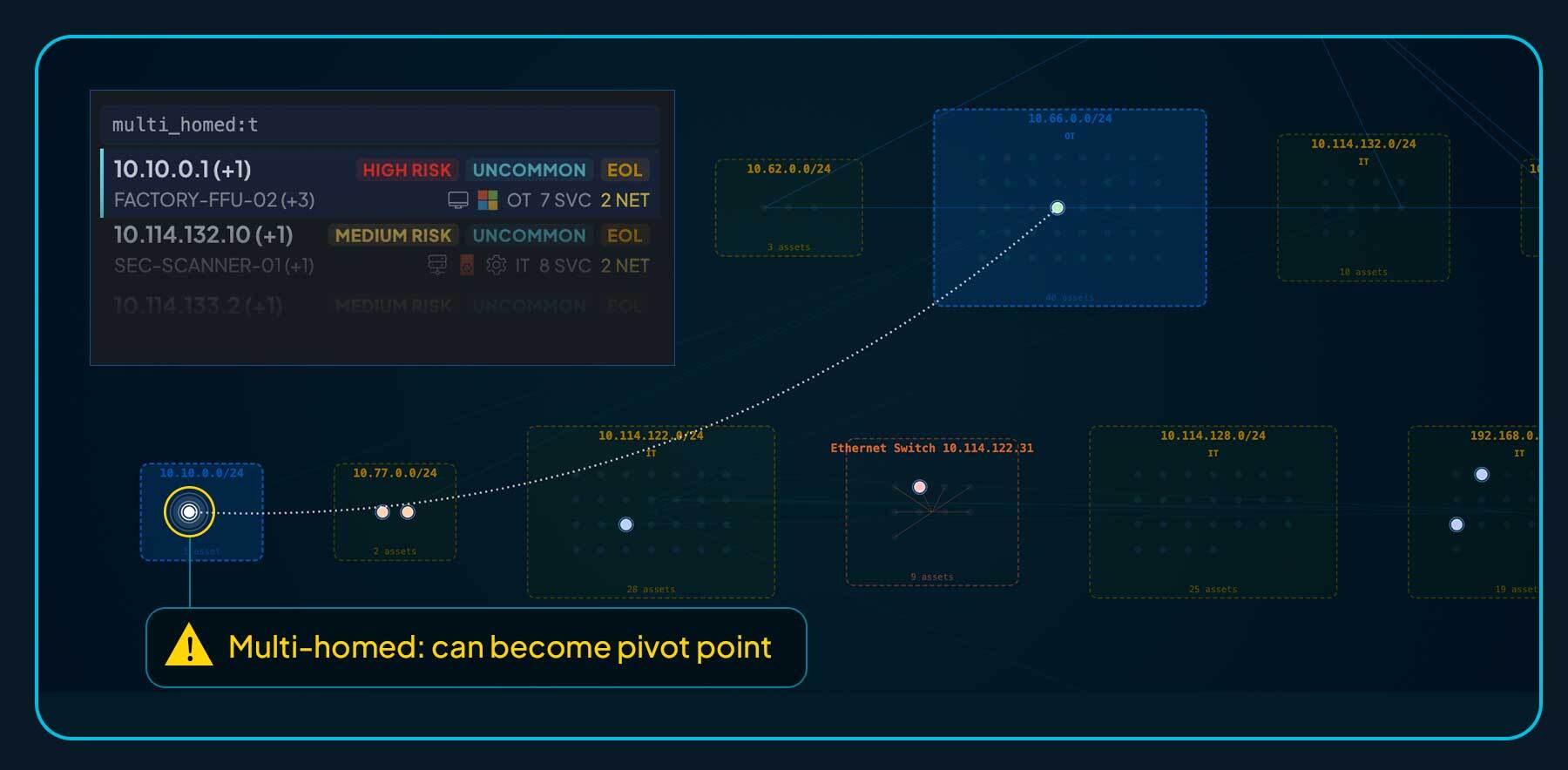
Detection is opportunistic. Hardened endpoints (host firewalls, disabled discovery services) may not reveal their other interfaces, so the report can miss bridges. Treat what it shows as a floor, not a ceiling.
Reading the report
- External networks are drawn in red, internal networks in green.
- Edges connect a subnet to every multi-homed asset that has an address in it.
- Single-homed assets are omitted to keep the graph readable.
The visualization focuses on segmentation by design; it is not a full topology view. For a full Layer-2 / Layer-3 picture, use the Network Map. For switch-port-level connectivity, use the Switch Topology report.
Querying multi-homed assets directly
Every bridge in this report is a multi-homed asset. You can query them straight from the inventory:
multi_homed:t
multi_homed:t AND has_public:t        # bridges with at least one public IP
multi_homed:t AND category:OT         # OT pivots — top-of-register OT risk
Combine with subnet_class:OT, category:IT, risk:high, or eol:t to surface the bridges that matter most for segmentation hardening.
See also
- Network Map: full interactive topology with bridge and pivot analysis built in.
- Understanding network segmentation: background on segmentation gaps and how to remediate them.
- Switch Topology: switch-port-level connectivity from SNMP and integrations.